Guide
Easy
Kitchen Staff · Restaurant Admin (Owner) · Manager
Updated September 2026
The kitchen display (KDS)
Full-bleed ticket screen: Start → Ready, ageing timers, station routing and the bar display.
Opening the display
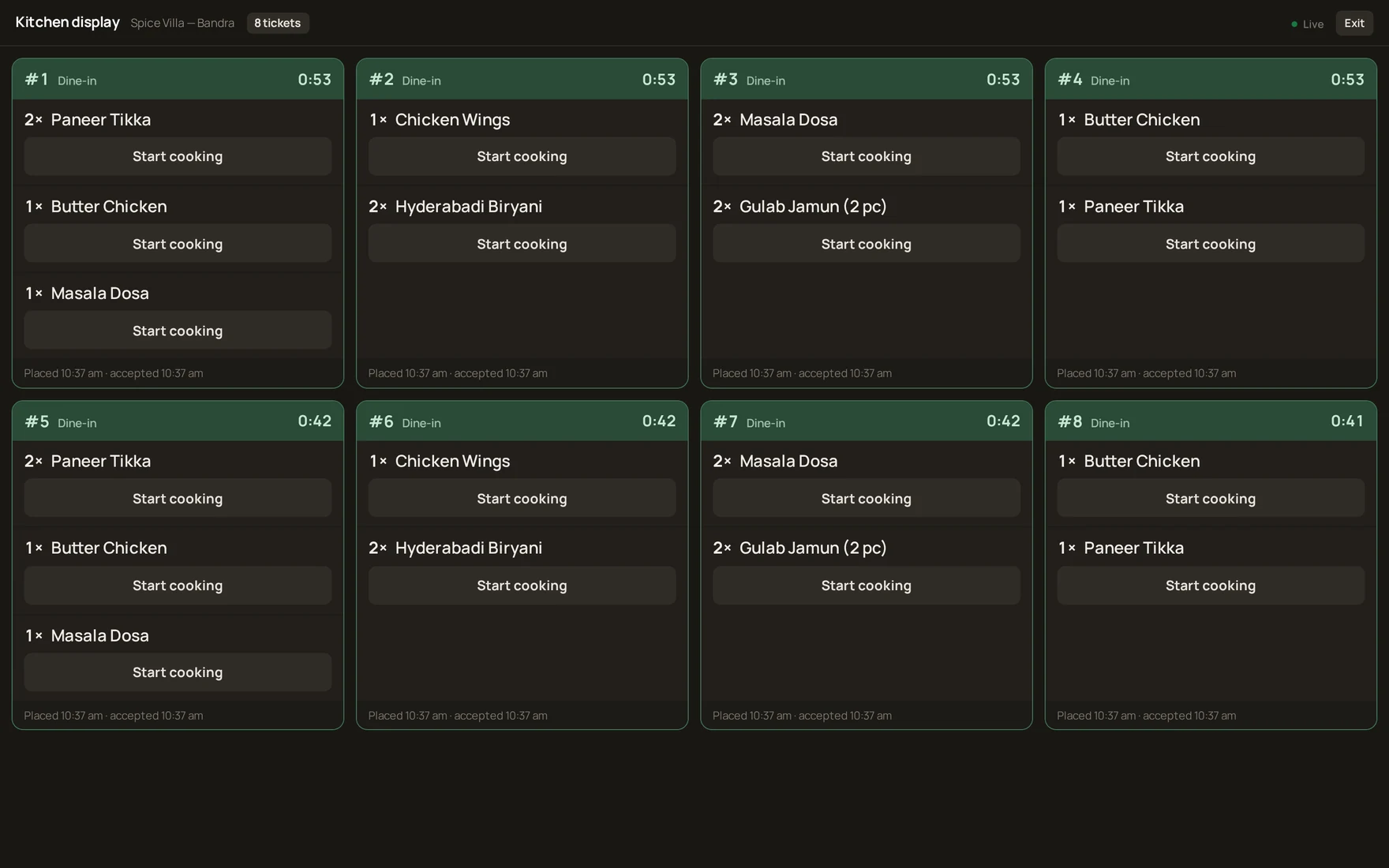
- Kitchen staff sign in to the admin console with their account — they land straight on the kitchen display, no menus in the way.
- The display is full-bleed on purpose: no sidebar, buttons 40px+, two taps per item.
- The bar display is the same screen for drink stations.
Working a ticket
- A card appears when an order is accepted — item, variant, add-ons and the guest's notes ("no onion") are printed on the card.
- Tap Start when cooking begins — the item turns amber (Cooking).
- Tap Ready at the pass — the item turns green; when every item on an order is ready, the order shows Ready for the floor.
Ageing
Every card carries a live timer and escalates by itself: amber after 8 minutes, red after 15. A forgotten order turns red instead of being discovered by an angry guest.
Station routing
Each menu item has a Kitchen station (set in the item editor). Items route to the matching display, so the tandoor section and the bar each see only their own work.
Was this helpful?