Your table is now
your ordering counter.
Guests scan the code on the table and order from their own phone — no app, no login, no waiting. The order lands on your kitchen display and your counter till in real time, prints on your thermal printer, and deducts stock on its way.
14-day trial No card required Live in a day
A restaurant leaks money in five quiet places
None of them look like a crisis. Together they cost you a service every week.
Order latency
A guest waits 6–8 minutes to order something they decided on in forty seconds.
Transcription
Notepad, then till, then the kitchen's ear. Three chances to get "no onion" wrong.
Table turnover
The bill takes eleven minutes to arrive. That's eleven minutes the next party isn't seated.
Menu rigidity
Paneer runs out at 8pm and the printed menu keeps selling it until midnight.
Invisible data
"Which dish lost us money last month?" is a week of manual work nobody has time for.
Six steps. Nobody types anything twice.
One order record, read by the guest, the kitchen, the floor and the till.
1 · Scan
The QR on the table opens your branded menu in under two seconds. No app, no login.
2 · Order
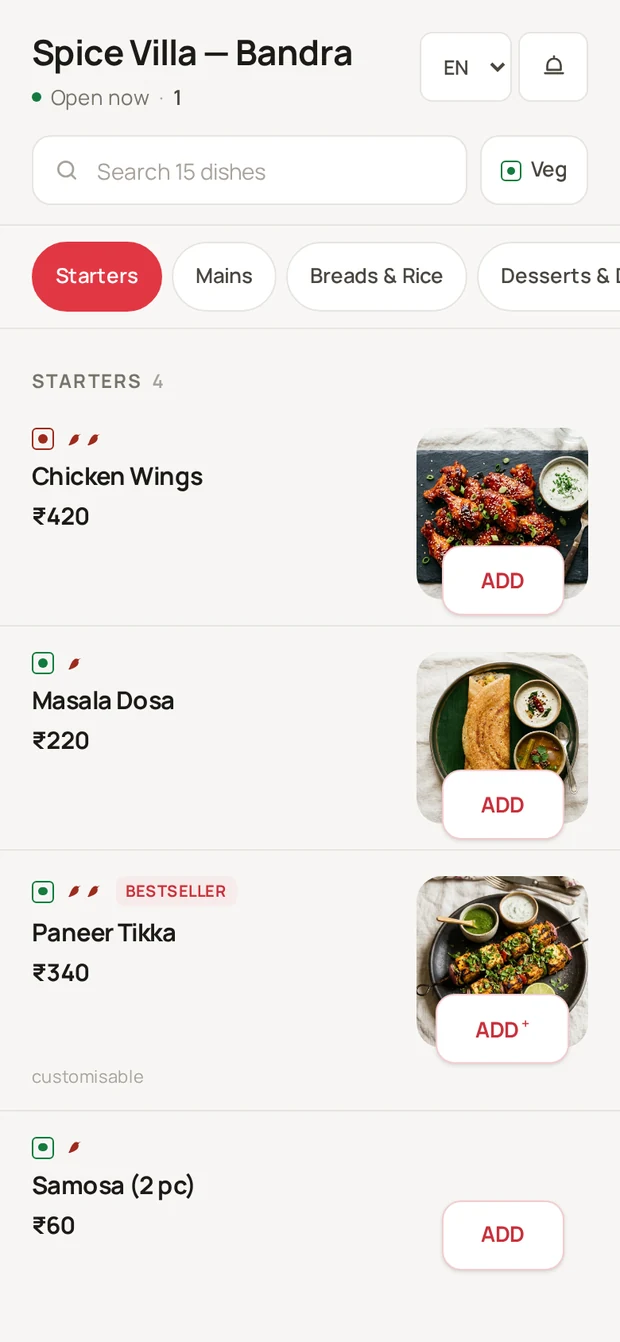
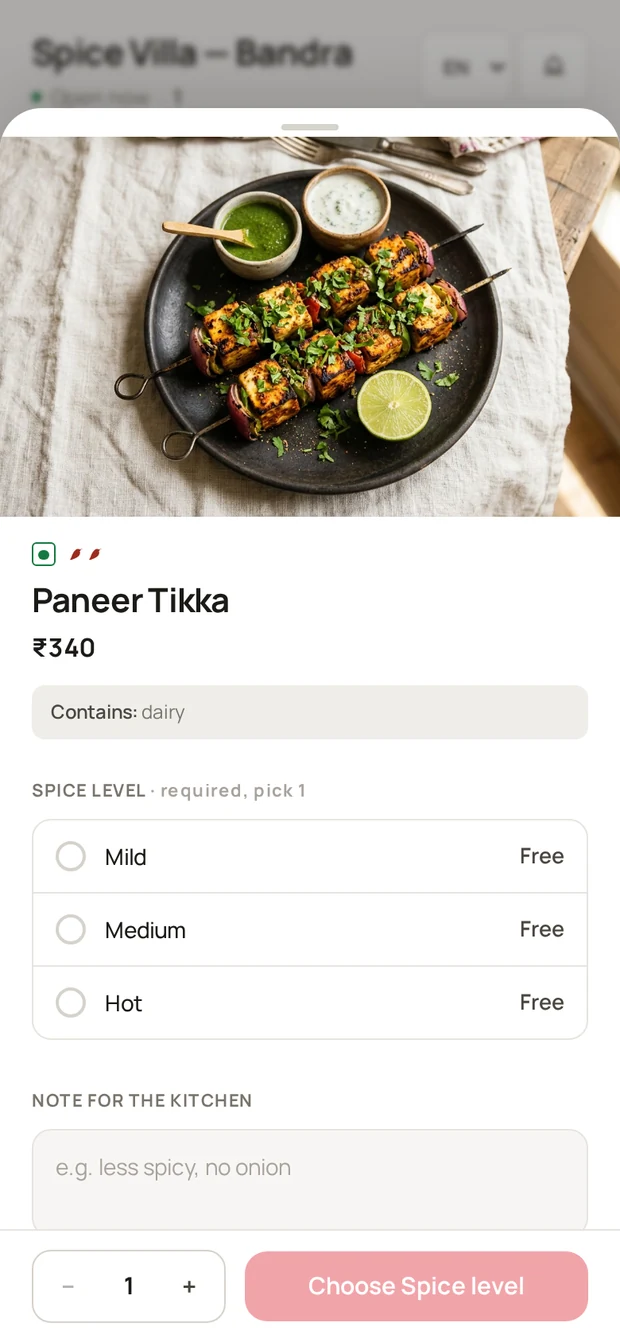
Photos, veg filter, variants, add-ons and per-item notes that reach the cook exactly as typed.
3 · Approve
The order pops up at your till. Your cashier accepts or rejects before the kitchen fires it.
4 · Cook
Tickets route to the right station and age visibly. A forgotten order turns red instead of being discovered.
5 · Settle
Three rounds over two hours arrive as one bill. UPI, card, wallet or cash at the counter.
6 · Learn
Stock deducts itself, GST invoices number themselves, and the day rolls into your reports.
Not a digital menu. The whole restaurant.
Most QR products stop at a PDF behind a code. This runs the kitchen, the till, the stock and the books.
One table, one bill
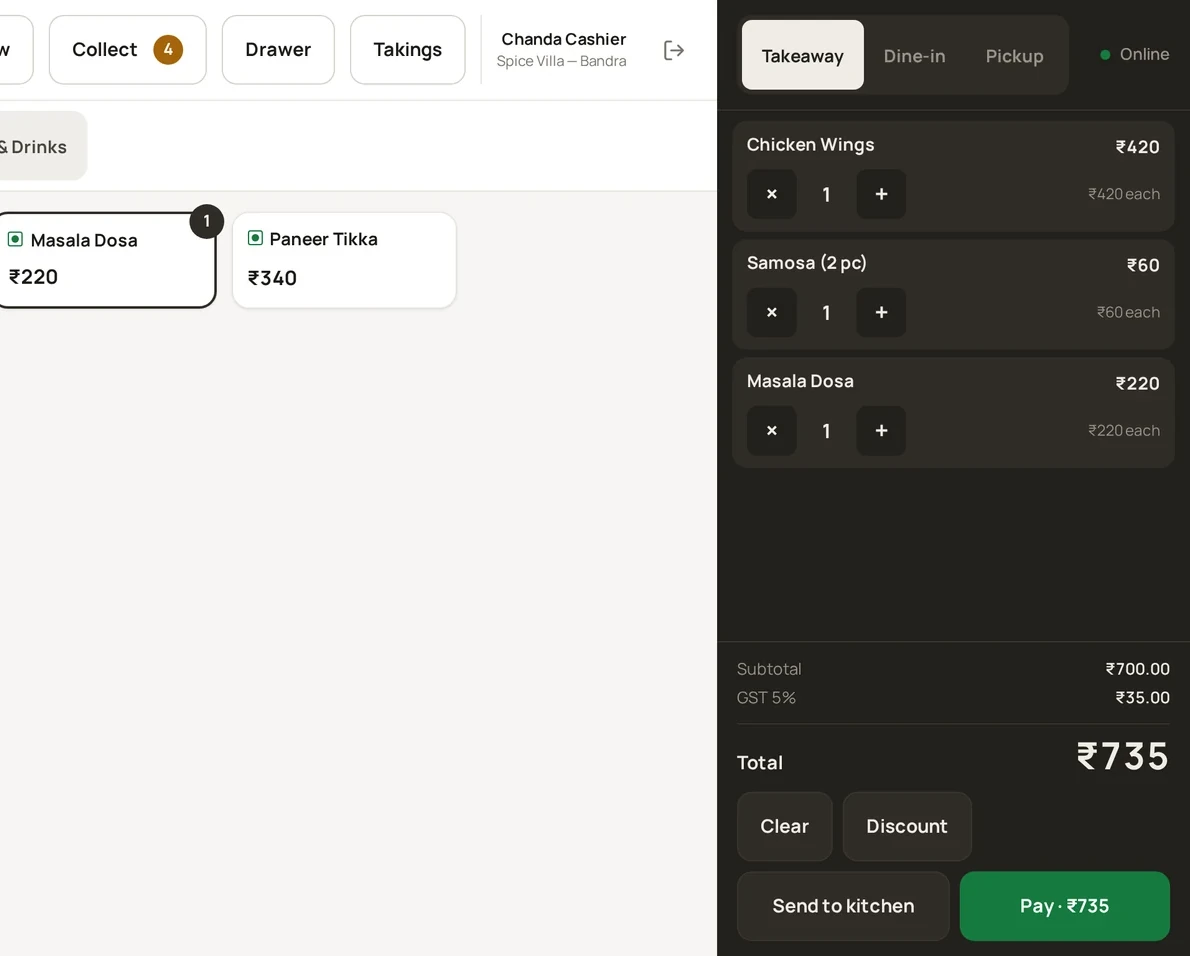
Starters at 7:40. Mains at 8:15. One more round at 9:30. Most QR systems produce three separate bills and one very reasonable argument. RestoQR merges later orders into the table's existing tab.
Tickets that shout before they're late
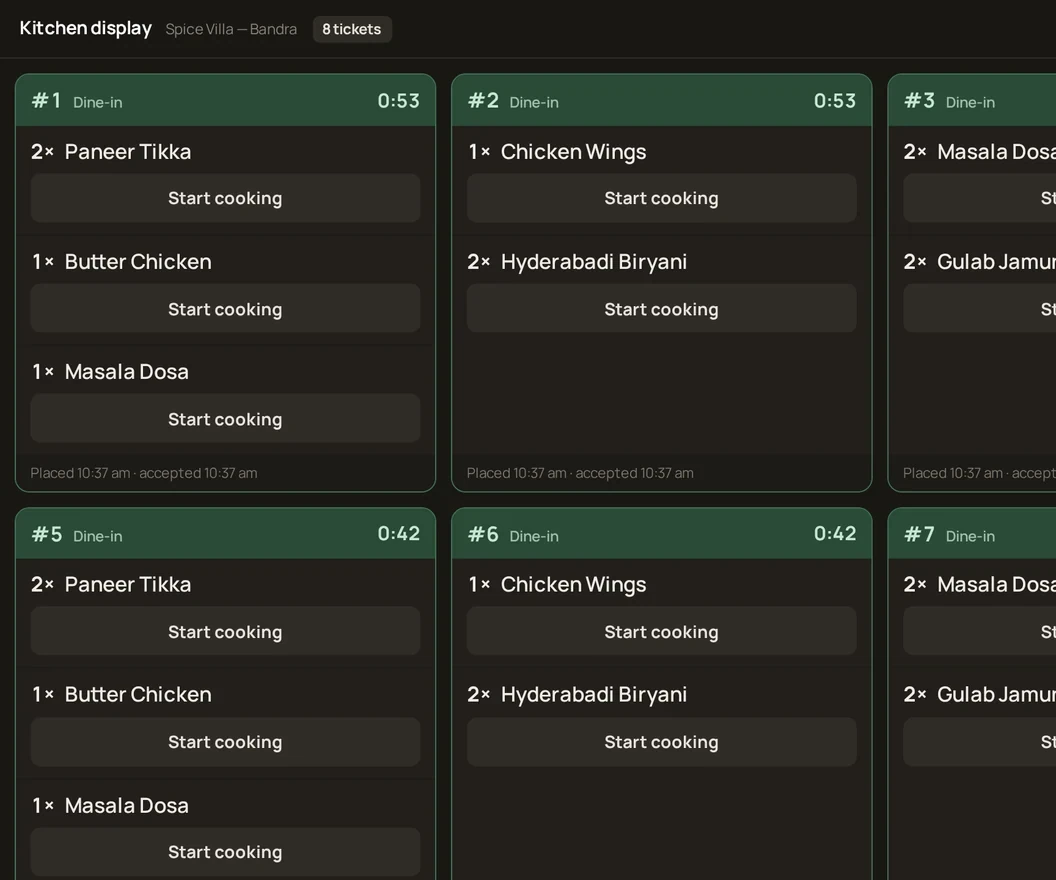
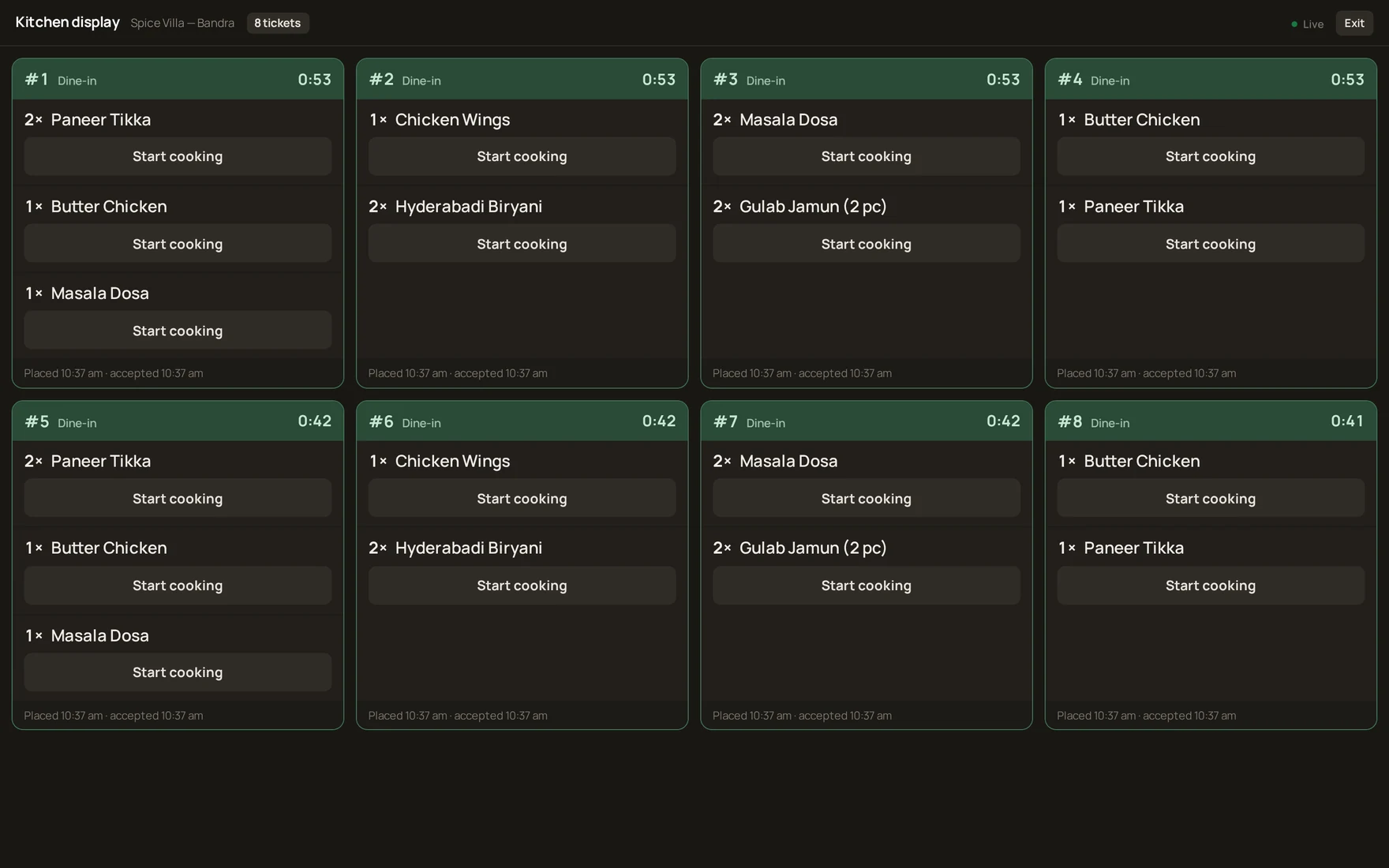
Orders route by station — grill, main, bar, desserts — and every card ages in front of the cook. Amber at eight minutes, red at fifteen, filling the whole header, because nobody reads a small badge across a hot kitchen.
Your restaurant, on their phone
Your logo, your colour, your photography — and the contrast is computed, so a mustard-yellow brand still gets readable buttons. First paint is about 34 kB, which matters on a crowded 4G cell at 8pm.
Finally, the numbers you keep asking for
Revenue, average order value, peak hours and payment mix on one screen. Item performance with contribution share. Stock that deducts itself from recipes, and a weekly read that tells you which dish is quietly dying.
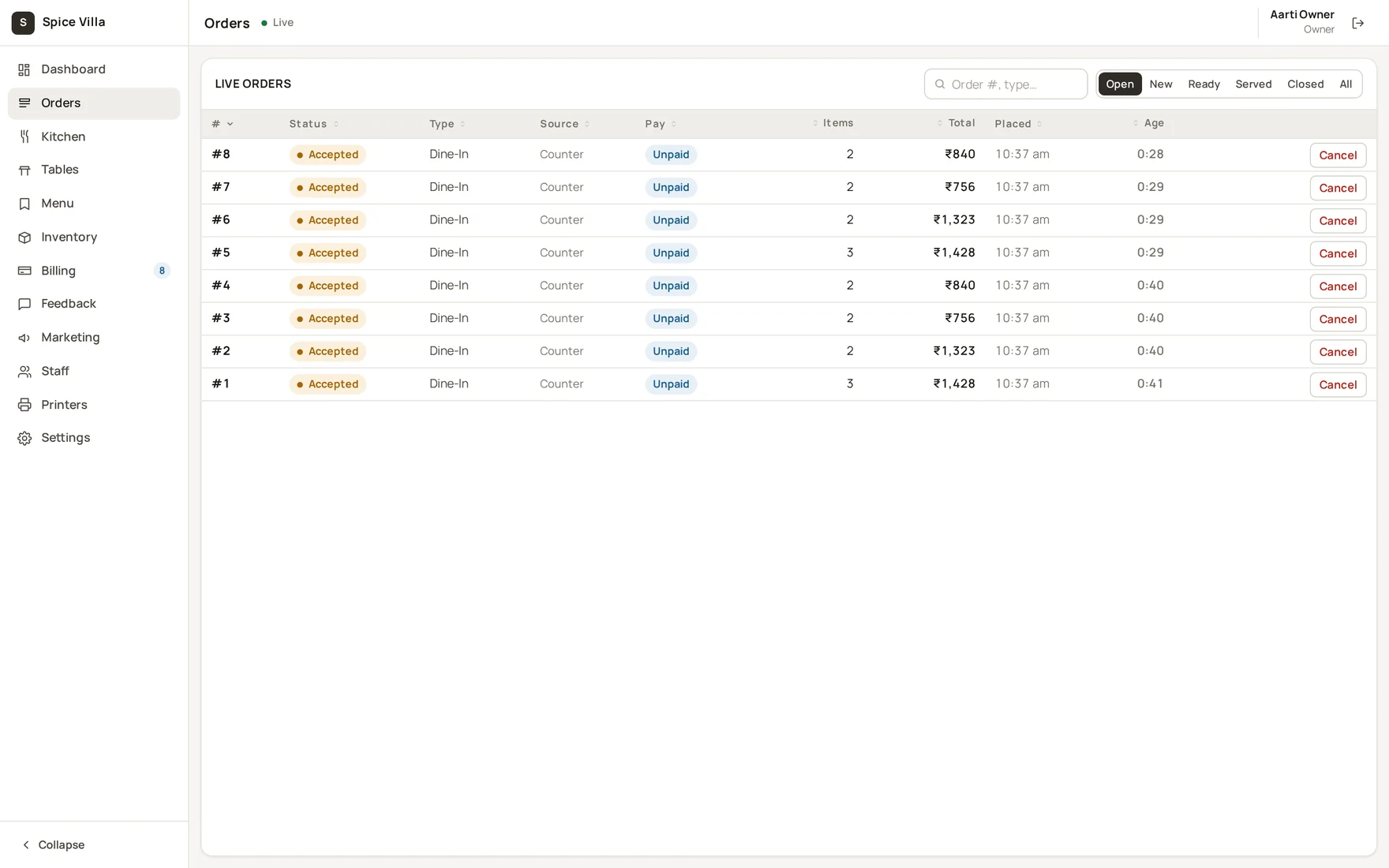
Every role gets the screen it deserves
Different devices, different pressure, different design. One API behind all of them.
Guest app
Scan, browse, order, track, pay and rate — on the phone already in their hand.
Admin console
Menu, tables, orders, stock, billing, staff, marketing and reports.
Kitchen display
Station-filtered tickets that escalate on age. The bar gets its own board.
Counter POS
Walk-ins, table settlement, order approval, table status and shift close.
The boring guarantees that matter at 9pm on a Saturday
Your data is walled off
Isolation is enforced at the database layer, not by developer discipline. A query that forgets returns nothing rather than everything — and a dedicated test suite fails the build if that ever breaks.
Card details never reach us
Payments run through the gateway; we store only gateway references and signatures. There is nothing to lose.
It degrades, it doesn't stop
The till keeps taking cash and the kitchen falls back to polling if the connection drops. Retried orders can't duplicate.
Everything sensitive is logged
Discounts, voids, refunds, permission changes and support access all leave an append-only trail with a name and a timestamp.
Start on the trial. Move when it earns it.
Feature access is enforced by the system, not merely hidden in the interface. Pricing is set per venue — tell us your size and we'll quote in the demo.
- 1 outlet · 10 tables · 5 staff
- QR menu & ordering
- Live floor view
- Feedback & reviews
- Kitchen display
- GST billing
- 1 outlet · 40 tables · 15 staff
- Everything in Trial
- Kitchen & bar display
- Counter POS & thermal printing
- GST invoices & shift close-out
- Sales analytics
- 5 outlets · 200 tables · 60 staff
- Everything in Standard
- Inventory, recipes & COGS
- Multi-outlet comparison
- Loyalty & coupons
- Full analytics & weekly insights
The things owners actually ask
My customers aren't tech-savvy. Will this confuse them?
There's no app and no account. It opens from the phone camera — the same gesture everyone already uses for payment QRs. And nothing removes your waiters: staff can take any order on the same system, so a guest who'd rather talk to a person still can.
I already have a POS. Why would I switch?
Then you have half of this. What you don't have is the guest's phone as an ordering channel, live sold-out across every table, or a party's three rounds arriving as one bill. The counter POS is included, so most venues replace theirs — but you don't have to on day one.
What happens if the internet drops mid-service?
The till keeps taking cash sales and the kitchen display falls back to polling instead of a live connection. Orders carry idempotency keys, so a retry after a dropped connection can't create a duplicate. It degrades; it doesn't stop.
Do I need new hardware?
A browser on a tablet or monitor for the kitchen, a touchscreen terminal for the cashier, and one or more ESC/POS thermal printers. Guests use their own phones. If you already have a till and a kitchen printer, you're probably most of the way there.
How long until we're live?
An afternoon of setup if your menu is already in a spreadsheet; a day or two if it needs entering. Then one soft-launch service with staff shadowing the flow. We do the configuration, QR sheets and printer routing with you.
Can guests pay online, or only at the counter?
Both, and you choose per venue. UPI, cards and wallets run through a payment gateway in your own name — we activate it once your gateway account is verified. Until then, pay-at-counter works exactly as normal and nothing else changes.
Is my data separate from other restaurants on the platform?
Yes, and it's enforced by machinery rather than care. Every record carries a tenant identifier and the database layer attaches that filter to every single query. A developer who forgets doesn't leak your data — the query returns nothing instead of everything.
What about Swiggy and Zomato orders?
Not in this version, and we'd rather say so plainly. The order model is built to accept aggregator orders as a future phase, but today RestoQR handles your dine-in, takeaway and pickup channels.
Book a demo, or just ask us something
Twenty minutes, screen-shared, using your own menu if you send it ahead. We'll show you the whole loop — scan, kitchen, till, bill — and answer the awkward questions.
A table orders starters at 7:40.
Mains at 8:15. Drinks at 9:30.
Most systems produce three bills and one confused guest. RestoQR produces one.